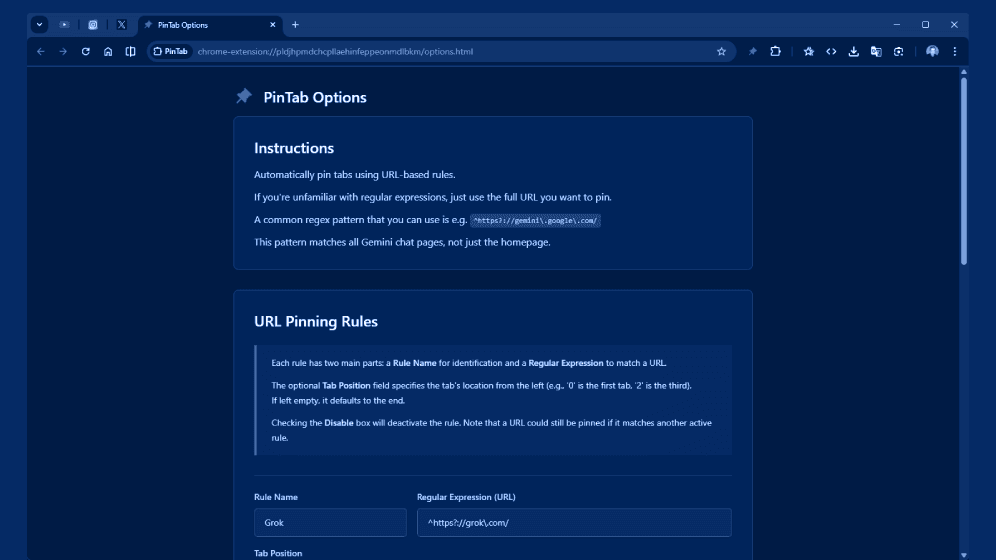
If you're anything like me, your Chrome browser often looks like a battlefield of open tabs. Over the years, I've relied heavily on pinning important tabs to keep things organized—Gmail, my favorite chat apps, work tools, you name it. But manually pinning each one every time? That's tedious.
That's why I built PinTab, a simple yet powerful Chrome extension designed to automate tab management and make your browsing life easier.
What is PinTab?
PinTab is all about automatic tab pinning based on URLs. You define rules—either simple full URLs or advanced regular expressions—and the extension takes care of the rest. Whenever a tab matches one of your rules, PinTab pins it seamlessly in the background.
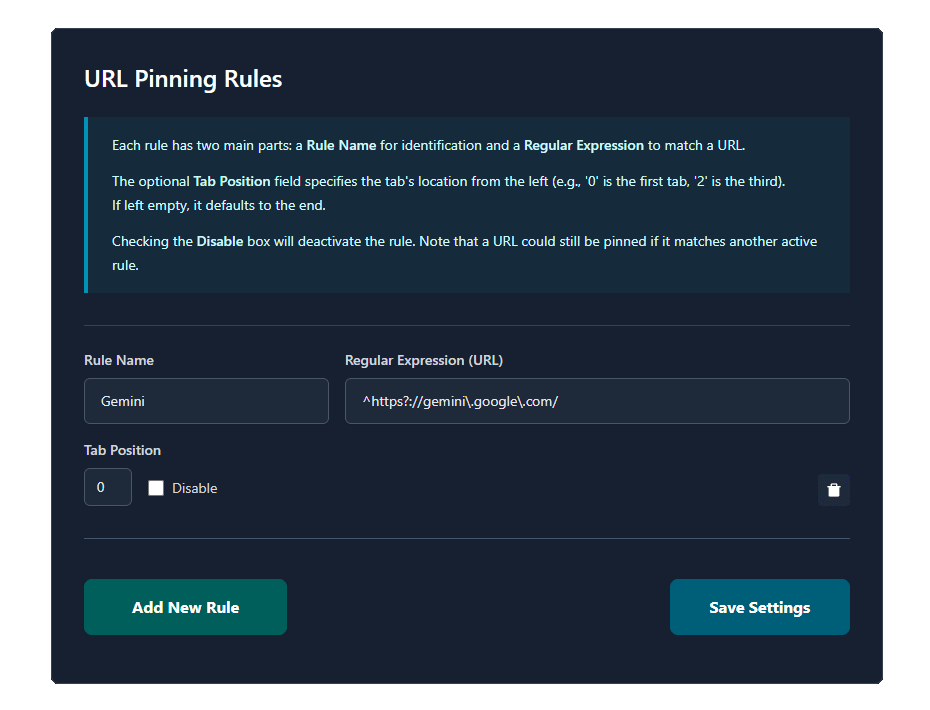
PinTab URL pinning rules example
Key Features
- URL-based pinning rules — Pin tabs matching specific domains, paths, or patterns (e.g., Gmail, DeepSeek, internal tools).
- Rule naming & tab positioning — Give rules friendly names and optionally set a fixed position from the left.
- Disable individual rules without deleting them.
- Import/Export rules — Backup or share your configuration in JSON format.
- Advanced options:
- Pin tabs opened via "Open in new tab"
- Move unpinned tabs to the right
- Automatically pin new blank tabs (Ctrl+T)
- Debug mode for troubleshooting
Installation
Installation is straightforward: grab the code from GitHub, load it unpacked in Chrome (via chrome://extensions), and you're good to go.
You can find the installation instructions on the GitHub repository.
If you're tired of manual tab management in Chrome, give PinTab a try. It quietly works in the background, keeping your essential tabs pinned and your browser tidy. I'd love your feedback—issues, suggestions, or just a thumbs up on GitHub.